2014年6月24日星期二

Outstanding interactive mobile E-learning to boost students learning

The development of digital publishing has changed the way we used to read, from print material to electronic devices. In the meantime, it has revolutionized the educational landscape, making it more digitalized. That is what we call "Time of E-learning". Compared with traditional learning, E-learning creates more possibilities that can boost students' learning interest and passion. And below I will talk about how E-learning can effectively interact with students in three ways.


Mobile E-learning

Mobile E-learning provides teachers and other educators with the ability to migrate their pedagogy to not only the web but also mobile devices. And now they are able to create lively story book for children and let them run smoothly on the mobile. This enables students to gather themselves on learning in their favorite means. The youngsters love to engage in their learning on iPads, iPhones, tablets, smart phones and other mobile devices. What's more important is that this mobile learning solution allows students to take up learning anytime and anywhere.


Interactive E-learning

Mobile E-learning creates great convenience for both educators and students, making E-learning more easily to be carried out. Yet E-learning should not be limited at an "electronic" level, it can be fun. Making the E-learning more interactive will raise students' interests in learning. Page flip technology and rich media are effective ways to leverage the interactivity between the digital teaching publication and students. And this interactive effect can be realized by dynamic PDF publishing tools like Flip PDF Pro.


Reading experience

One important thing that we should never ignore is user experience. And this is of no exception for E-learning, but here we'd like to call it "reading experience" for students. Everything of the E-learning stuff should be designed to make readers feel at ease. For one thing, the E-learning publications should be responsive to cross-screen so readers can read the publications without deformity. For another, scaling or zooming based on vector technology would be a lubricative solution for a nice reading experience. 


2014年6月23日星期一

Flipbook VS PDF: why the interactive reading experience is so important?

For some time, PDF as a new way for content delivery has been proved to be convenient and effective. PDF documents, as known to us, take small space in the digital format yet they contain a large amount of information. And because of its advantages, PDF has been used as eBook, e-Catalog, e-Magazine, e-Brochure and kind of that. However, that is a past tense when there were no other better solutions and as a matter of fact, PDF file has its drawbacks.


What are the disadvantages of PDF files?

# Lack of interactivity – all content is written in plain pages
# Must-have installation of Adobe Reader – require a third-party software
# Insufficiency of flexibility – not easy to edit and update content
# Unsearchable text content – the content is not SEO friendly
# Poor user experience – need to scroll down to read


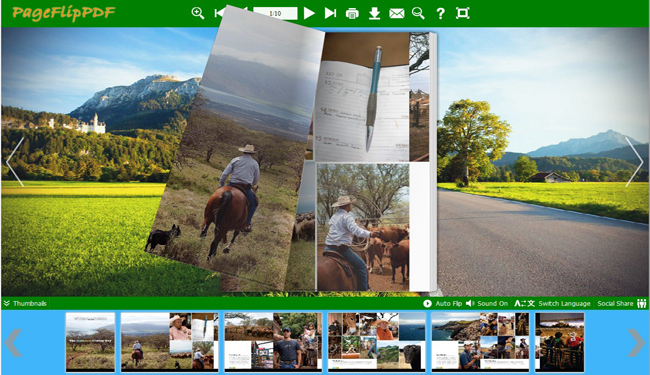
Nowadays, as technology develops, people's needs increase as well. Reading a dull PDF magazine or catalog is quite boring, and readers will away from your publication because it fails to offer interactive reading experience. However, a flipbook can spare you all these troubles. By converting your PDF to flash magazine, flipbook, or page flipping catalog, you can make your publication more attractive and interactive, therefore, inspiring readers to read your content.


So how can flipbooks attract readers? From the original purpose, PDF to flipbook converters is to convert PDFs to flash publications with interactive page flip reading experiences, making publications more engaging and fashionable. Content is no longer written in endless scrolling pages, but in impressive and realistic page turning pages that give readers an experience of reading real books. And flipbooks allow readers to read through the whole book in various navigation ways: mouse drag, mouse wheel, page turn buttons, thumbnails, etc. Besides, flipbooks can delight readers with rich media, video, audio, image gallery, flash, text and so on. In additional, the flipbook can reach global readers via Internet, all readers need is a connected browser. And the content of flipbooks is searchable text, which means the content is SEO friendly and is easily crawled by search engines and readers.

2013年10月22日星期二

Top 4 Great Excellent Online Digital Publishing Software to Convert PDF to HTML5 Flip Books

With the development of science and technology, web design is going through revolutionary change. And the increasing need for compatibility is pushing developers to improve their software. And speaking of online flip book publishing software, it must allow you to create multi-browser, cross-platform flip books. That is to say, your flip book can run smoothly not only on PCs, but also on different mobile devices such as iPad, iPhone and Android-powered devices. And here I would love to introduce you 4 excellent pieces of online digital publishing software that can help convert PDF to HTML5 flip books.


1.       Free Turn Page Digital Publishing Software

Free Turn Page Digital Publishing Software free download is one of the best flip book maker I've ever used. Powered by HTML5 and jQuery technology, this software can help you convert ordinary PDF files to awesome HTML5 page flipping books. 

With this flip book maker, you can publish HTML5 flip books with ease. You just need to import PDF file and then you can customize the flip book with pre-designed templates and themes, or you can design your unique book based on the template. Besides, you can use the "Edit Pages" feature to add multimedia to the flip book: video, YouTube video, sound file, photos, buttons, links and so on. What's more, it's free to use, and you can upload the flip book online for free using Flip HTML5 Online Service. You can enable your flip book to be viewed and shared through the whole world even though you don't run a website.

Just download this free page turn book maker and see how powerful it is.


2.       Flip PDF

The reasons why I recommend you Flip PDF are as follows:
(1)     Flip PDF can convert PDF to page flip book that can run on PC, Mac and iPad, iPhone, Android;
(2)     The integrated Bookcase allows you to sell flip books with ease;
(3)     The Assistant that generates text to audio and read it out synchronously.


3.       PDF to Flash Brochure Professional

PDF to Flash Brochure Professional is nice software to convert PDF to flip book, digital page flipping Brochure and e-Catalog. And it allows you to publish the HTML5 flip book in different formats for different use.


4.       3D PageFlip Professional

3D PageFlip Professional enables you to publish HTML5 page flip books in 3D panoramic background from Adobe Acrobat PDFs, Microsoft Office, OpenOffice and images. You and your readers can view the flip book with fantastic 3D experience.


2013年6月3日星期一

BookShelf features are available on Flip Standard Application

Flip Book maker Software, PageFlipPDF.com, has introduced its integrated the eFlip Shelf into eFlip Standard, an electronic posting platform for transforming PDF, Microsoft 'office', and OpenOffice files into page-flipping flipbooks. Additionally to transforming a limitless quantity of documents, adding logos, sounds, audio, etc., and discussing them in many formats, customers come with an online tool to keep and manage their e-books. The Shelf includes any PDF to flipbook submitted towards the eFlip Server, readily available in the software interface.
wonderful eflip bookshelf was added to flip book maker! - from pageflippdf.com

To take advantage of the valuable feature, eFlip Standard customers have to create a merchant account. This is achieved by hitting the “BookShelf” button within the software that takes these to a window to produce a merchant account simply by entering an e-mail and password for signing in. The Shelf Build interface may then be utilized. Flipbooks could be saved within the digital library together with opening videos and pictures. The additional look does apply to selling e-books that the feature supports via PayPal.

While using Upload Online feature within the flipbook maker, the whole Shelf could be submitted towards the server with the FlipBuilder website. When the title and outline are defined, then customers can upload the entire Bookcase to write all the game titles incorporated. The “Share” button enables the whole set to become shared via email or social networking, or even the Embed Code data could be replicated to some web page.
Read More information about Bookshelf features, you can visit:

2013年5月10日星期五

Architecture of Android System


Android system adopts a layered architecture as other operating system. From the chart, the Android structure is divided into four layers; from the top to the lower layers are the application layer, system framework layer, runtime layer and the Linux kernel layer.
Application Program
Android will be released in conjunction with a series of core application package together; the application package includes client, SMS short message program, calendar, map, browser, and contacts management procedures. All applications are written with the JAVA language.
The flipbook builder is an application in your computer to work as the pageflip creator.
Application Framework
The developers have full access to the API framework that the core application uses. Architecture design of the application to simplify the reuse of components; any application can publish its function blocks and any other applications can use the function block of the issued. Also, the application of reuse mechanism also enables the user to replace the assembly convenient.
Hidden in the back of each application and service, there are a series of systems, including:
Rich and scalable view can be used to build applications, it includes a list, grid, text box, button, or even embedded web browser.
Content providers allows applications to access data in another application (such as contacts database), or to share their own data
The resource manager providing access to non - code resources, such as local string, graphics, and layout file.
The notification manager makes the application can display a custom message in the status bar.
Activity manager used to manage the application life cycle and provide a common navigation regression function.
System Library
Android contains C/C++ library, the library can be used with different component in Android system. They provide services through the Android application framework for developers. The following are some of the core library:
* system C Library - an inherited from BSD standard C system function library of Libc), it is designed specifically for based on the Embedded Linux device.
* media library - based on the PacketVideo OpenCORE; the library supports many common audio, video playback and recording, static image file support. Coding formats including MPEG4, H.264, MP3, AAC, AMR, JPG, PNG.
* Surface Manager - display subsystem management, and seamless integration for 2D and 3D layers for multiple applications.
* LibWebCore - one of the most new web browser engine, support for the Android browser and an embeddable web view.

2013年5月6日星期一

Different versions of Android Published in Different Time


Before the official release of the Android, there are two internal test versions, and they are named with famous robot names, one is Adou Ki (AndroidBeta), and another one is a clockwork robot (Android 1). Later, due to the copyright issues, Google decided to set the naming rules for the different Android versions as the dessert names but not the traditional code. And the Dessert naming begins in the release of Android 1.5. So the later name of Android becomes as Cup Cake (Android 1.5) (Android 1.6), Doughnuts, Eclair (Android 2.0/2.1), Frozen Yogurt (Android 2.2), Gingerbread (Android 2.3), Honeycomb (Android 3), Ice Cream Sandwich (Android 4), Jelly Beans (Jelly Bean, Android4.1 and Android 4.2).
My Facebook: http://www.facebook.com/pages/3DPageFlip/175112192644225


Android 1.1: Released in September, 2008-the first version of Android.
Android 1.5Cupcake: Released on April 30, 2009.
The main updated features as follows:
(1). Film / movie: support the upload to YouTube; support stereo Bluetooth headset and improve the performance of automatic pairing;
(2). New technology using the WebKit browser, support copy / paste and page search;
(3). GPS performance is greatly improved;
(4). Provide screen virtual keyboard;
(5). Add the music player and widgets in the main screen;
(6). Support application automatically rotation with the frame;
(7). Improve user interface browser substantial of the mobile phone text messages, calendar, Gmail, such as Gmail bulk delete mail;
(8). Speed up the cameras start, pictures can be directly uploaded to Picasa;
(9). Display photo with caller ID.
Android 1.6Donut: Released on September 15, 2009.
The main updated features as follows:
(1). The new redesigned Android Market gesture;
(2). Support CDMA network;
(3). Add text-to-speech system;
(4). Add the quick search box;
(5). Totally update the camera interface;
(6). View the power consumption of each application;
(7). Support virtual private network (VPN);
(8). Support more screen resolution;
(9). Support OpenCore2 media engine;
(10). Add new easy to use plug-in for people who are difficult in visual or auditory.
Android 2.0/2.0.1/2.1 Eclair: Released on October 26, 2009.
The main updated features as follows:
(1). Optimize the hardware speed;
(2). Add "Car Home" program;
(3). Support more screen resolution;
(4). Improved user interface;
(5). Add new user interface browser and support HTML5;
(6). Improve the new contact list;
(7). Adjust the better white / black background ratio;
(8). Improved Google Maps3.1.2;
(9). Support Microsoft Exchange;
(10). Support built-in camera with flash;
(11). Support digital zoom;
(12). Improve the virtual keyboard
(13). Support Bluetooth 2.1;
(14). Support the design of dynamic desktop.
Android 2.2/2.2.1 Froyo: Released on May 20th, 2010.
The main updated features as follows:
(1). Improve the overall performance greatly;
(2). Support 3G network sharing function;
(3). Support Flash;
(4). Add the App2sd;
(5). Supply the new software store;
(6). Increase the more development of the Web application with interface of API.
Android 2.3.xGingerbread: Released on December 7th, 2010.
The main updated features as follows:
(1). Increase new rubbish recovery and optimization of the processing event;
(2). Support the directly access and sense event, EGL/OpenGLES, OpenSL ES by native code;
(3). Improve the new frame window management and life cycle;
(4). Support VP8 and WebM video formats;
(5). Support AAC and AMR wideband code;
(6). Provides new audio effects;
(7). Support the front-facing camera, SIP/VOIP and NFC (near field communication);
(8). Simplify interface and speed up the handware;
(9). Progress the faster and more intuitive text input;
(10). Choose, copy/paste words with one key;
(11). Improve the power management system;
(12). Manage the applications in a new way.
Android 3.0Honeycomb: Released on February 2, 2011.
Major updates as follows:
(1). Optimized for tablet;
(2). Enhance the webpage browsing by the new designed UI;
(3). Add n-app purchases function.
Android 3.1Honeycomb: Released on May 11th, 2011.
Version updates:
(1). Optimize the Gmail electronic mailbox;
(2). Support for Google Maps totally;
(3). Merged again the Android mobile phone system with flat system so as to make the developers to be convenient;
(4). Roll the task manager;
(5). Support USB input devices (keyboard, mouse);
(6). Support Google TV;
(7). Support the XBOX 360 Wireless Controller;
(8). Changes the support of the widget, make it easier to customize screen widget plug-in.
Android 3.2Honeycomb: Released on July 13th, 2011.
Version update:
(1). Support the 7 inches of equipment;
(2). Increase the application display scaling function.
Android 4.0Ice Cream Sandwich: Released on October 19th 2011 in Hongkong.
Version update:
(1). New UI;
(2). New Chrome Lite browser with offline reading, 16 tabs and stealth browsing mode, etc;
(3). Screenshot function;
(4). More powerful image editing features;
(5). Improved built-in photos application which is perfect as Instagram, that add filter, frame, 360 degree panoramic photo shoot, and sort order according to location;
(6). Gmail add gestures, offline search function, UI is more powerful;
(7). New function of People: regard the contact photo as the core, slide the interface but not click, integrated with Twitter, Linkedin, Google+ and other communication tools.
(8). Possibility to choose the third party services as users’ wishes;
(9). New added internet traffic management tool that can view each application flow and limit the use of flow, when the phone reaches the set standard, the flow will automatically be closed, so the applications would be disconnect the network.
Android 4.1Jelly Bean: Released on June 28th, 2012
New features:
(1). Faster, more fluid, more sensitive;
(2). Animation frame rate up to 60fps, increased by three times the buffer;
(3). Enhance of the notification bar;
(4). New search which will bring three new features the new UI, the intelligent voice search and the Google Now;
(5). Resize of the desktop plug-in widget automatically;
(6). Better operation without barriers;
(7). Extension of language and input method;
(8). New input types and functions;
(9). New connection type.
Android 4.2Jelly Bean: Released on October 30th, 2012.
Android 4.2 continue to use the name of "jelly bean", to reflect the latest operating system and Android 4.1 are similar, but Android 4.2 has some great new features, as follows:
(1). Photo Sphere panoramic camera function;
(2). Keyboard gesture input function;
(3). Improvement of the lock screen function, including the lock screen state support desktop widget and directly open the camera function;
(4). Extension of notification that allows the user to directly open the application;
(5). Gmail messages can be zoomed in/out display;
(6). Daydream screen saver;
(7). Magnifying the display frequency with three times clicking the screen, and two fingers rotating and zoom display, as well as for blind users, the speech and gesture mode navigation functions;
(8). Support Miracast wireless display sharing function;
(9). Google Now allows users to use Gmail as new data sources, such as improved flight tracking function, hotel and restaurant reservation function as well as music and movies recommendation function etc..
Android 5.0Key Lime Pie: May published on May 15th, I would like to report you more information of Android. And now, as I know, the 3D PageFlip has newly updated the 3D PageFlip Standard for 2.6.4, it is digital magazine publishing software and 3D PageFlip Professional 1.6.5 which also a flipbook builder already a week!

2013年5月3日星期五

The Development of Android with the Time


In October, 2003, Andy Rubin group founded the Android Company, and they build the Android Team;
On August 17, 2005, Google had bought the only 22 months old high-tech enterprise of Android and its team with a low profile.
On November 5th, 2007, the Google Corporation has formally shown the Android operating system, and announced the establishment of a global organization on today. The organization consists of 34 members of mobile phone manufacturers, software developers, telecom operators and chip manufacturers, and it cooperates with 84 units of hardware manufacturers, software developers and telecom operators to become an Open Handset Alliance to jointly develop the modified Android system. The alliance will support mobile phone operating system and application software released by Google. Moreover, Google has released the source code of Android via Apache which is a free and open source license authorization.
In April, 2009, Google has officially launched the Android 1.5 mobile phone. It is from the beginning of the 1.5 version of Android, and Google starts to name the Android version after the dessert name, for example, the Android 1.5 named Cupcake. Compared with the previous Android 1.0, it has improved a lot.
In September, 2009, Google has released official Android version 1.6, and launched with the final version of Android 1.6 mobile phone HTC Hero (G3). HTC Hero (G3) with the design of excellent appearance and the absolutely new Android 1.6 operating system, it became the world's most popular mobile phone at that time. Certainly, the Android 1.6 also has an interesting name of the dessert, it is called Donut.
In February, 2010, Linux kernel developer Greg Kroah-Hartman has removed the Android driver from the Linux kernel "staging tree". And it is the sign of the Divorce of the Android with Linux mainstream. In the same year of May, Google launched the Android 2.2 operating system and it is named as Froyo, translated as frozen yogurt.

In October, 2010, the number of Android application on electronic market that has obtained official certification has reached 100000 which make the Google to announce that Android system has reached the first milepost. The growth of Android system application is rapid. In December this year, Google launched the Android 2.3 operating system Gingerbread.
We update the page turning software also in short time, when we get some questions and suggestions from customers; we always have a meeting and think about the improvement of the software and better services. The flip book is the converted from the page turning software from PDF, Image, Office or PPT files.
In January, 2011, Google announces the daily number of new Android user equipment has reached to 300000. Also they predicts that the number will increase to 550000, the total number of the user Android system equipment will reach to 135000000 and Android system will own the highest possession in the smart mobile phone filed in July, 2011.
In August 2, 2011, Android mobile phone has occupied the global smart phone market share of 48%, and occupied the dominant position in the Asia-Pacific region market that ended the times of the Symbian supremacy, so the Android is in the first place of smart phone market in the world.
In September, 2011, the number of the Android system application has reached 480000, and Android system has reached 43% shares in the smart mobile phone market which still in the first place of the mobile operating system. Google releases the new Android 4 operating system, this system is Google named Ice Cream Sandwich.
In January 6, 2012, Google Android Market has 100000 developers launched more than 400000 active applications, and most of them are free. The Android Market app store directory has broken 400000 benchmark in the first weekend of the new year, which only 4 months after it has exceeded 300000. Earlier in 2011, the amount of the Android Market applications has increased from 200000 to 300000 also in 4 months.
For every user surprises in the progress of the software will bring them more pleasures and conveniences.